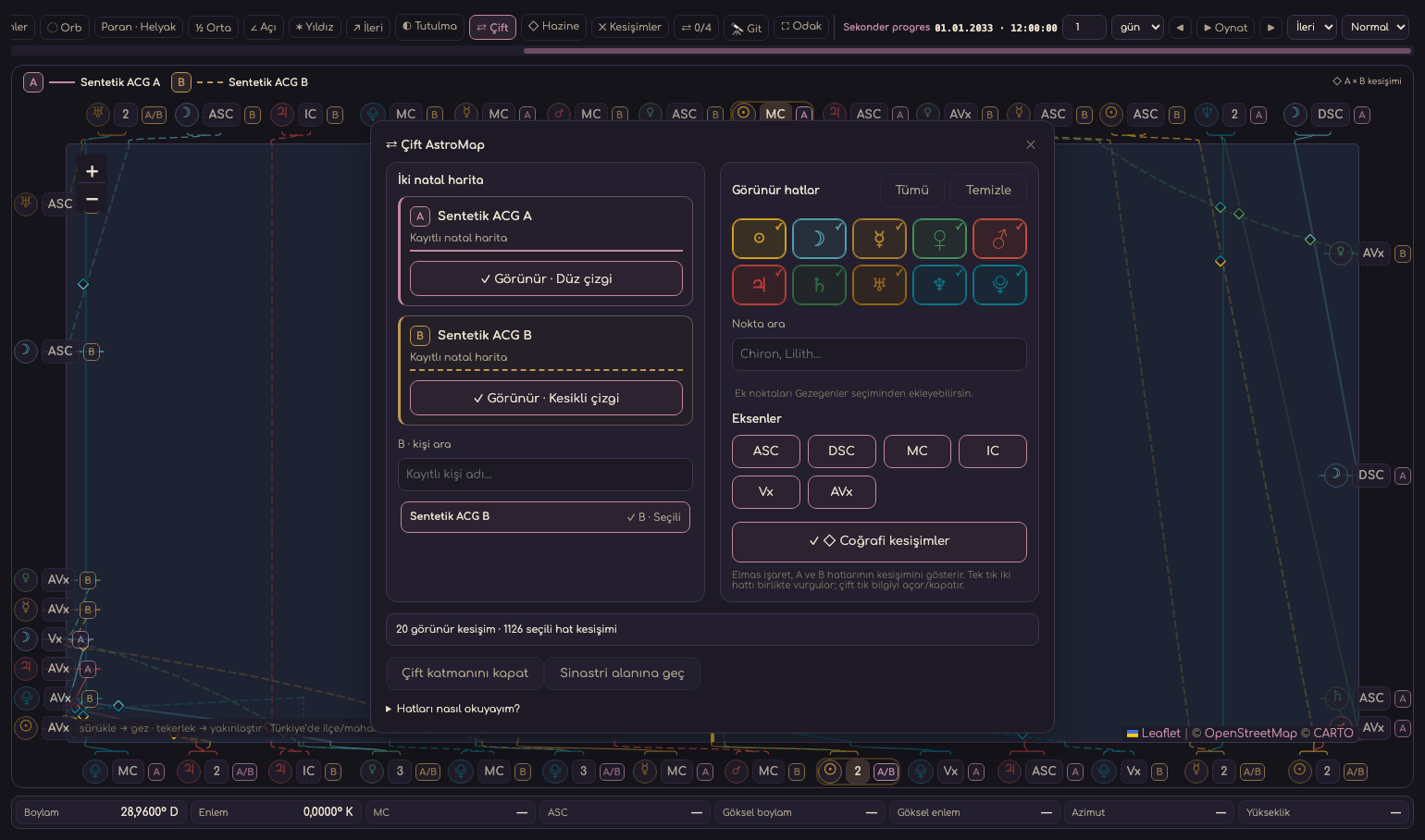
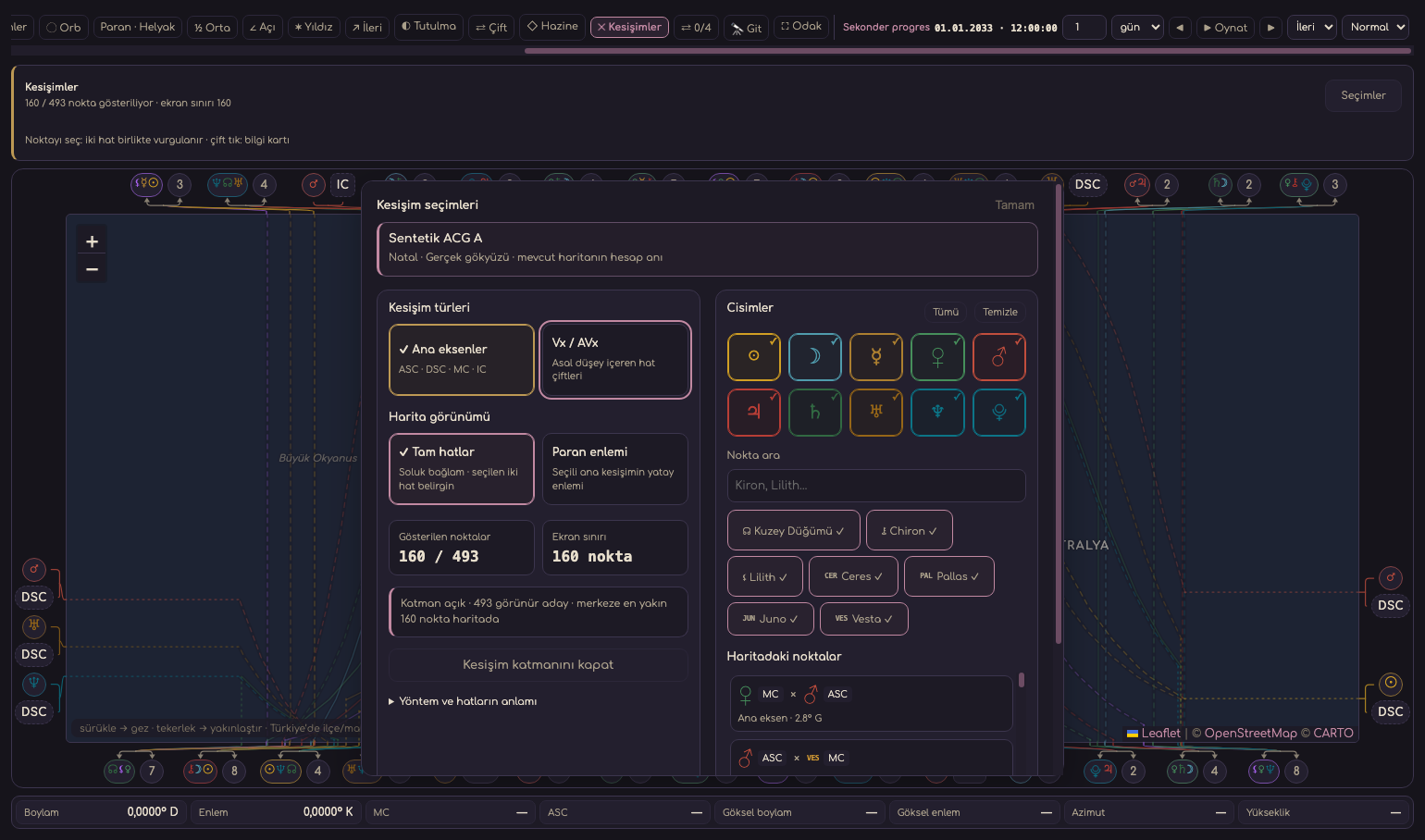
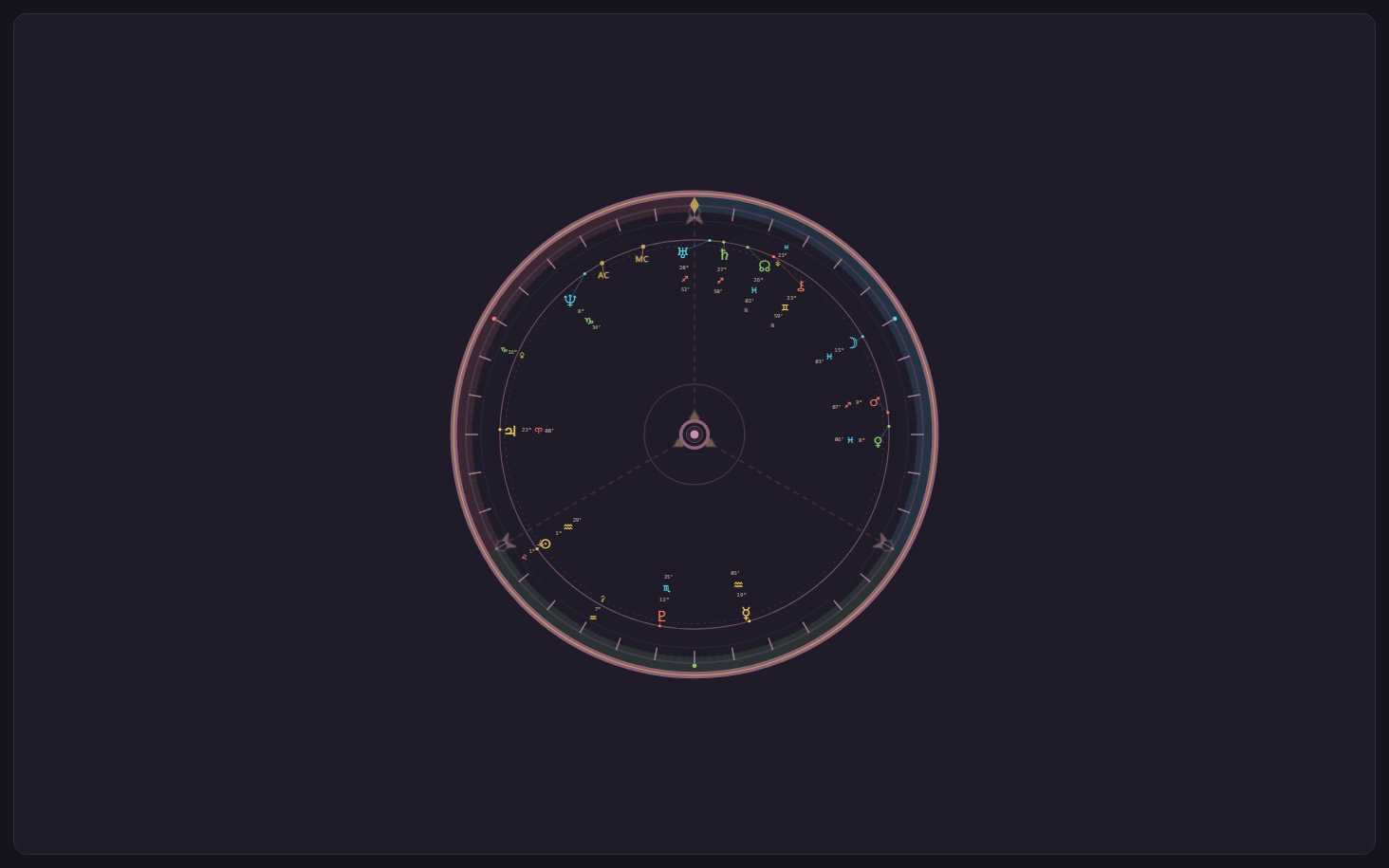
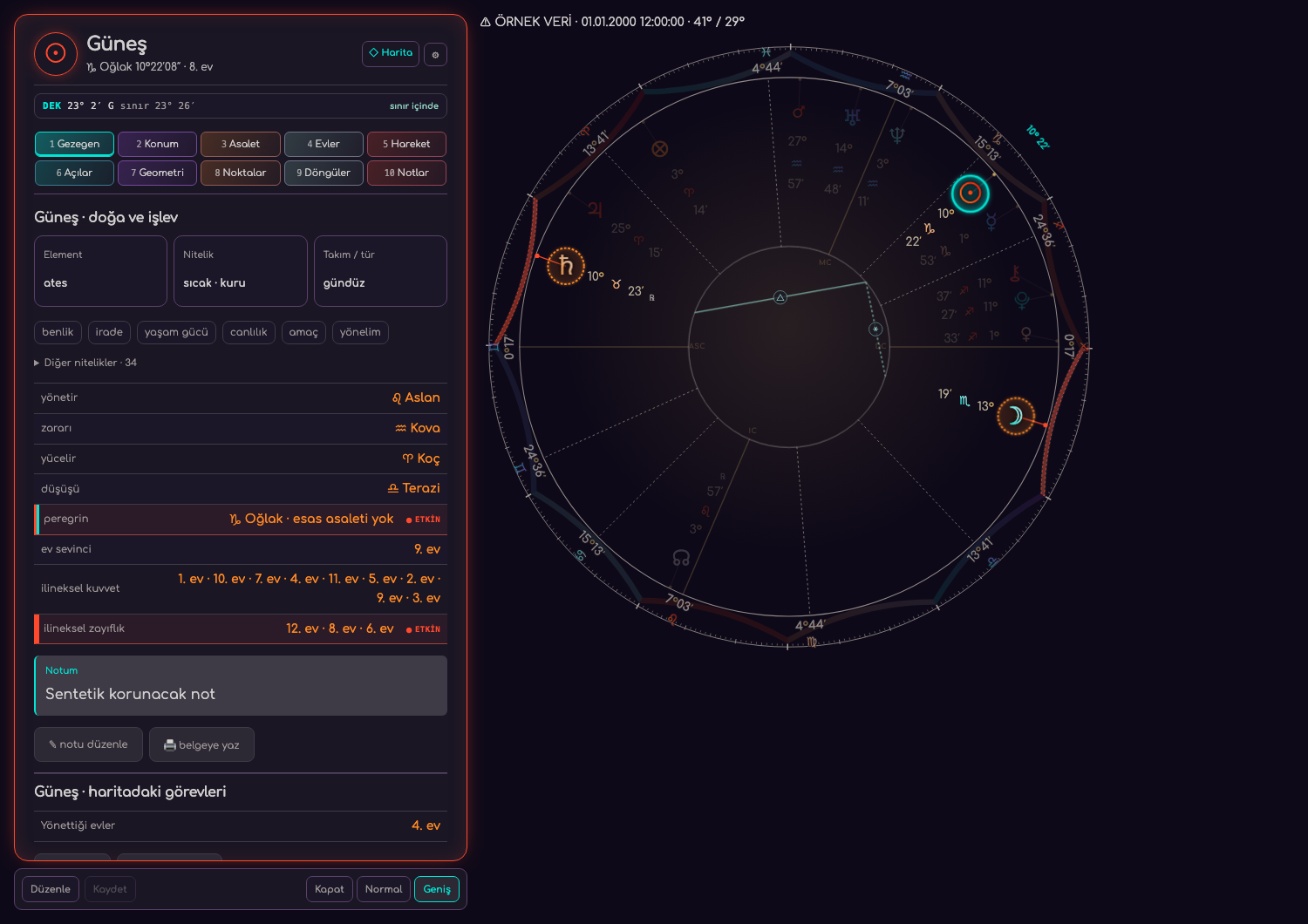
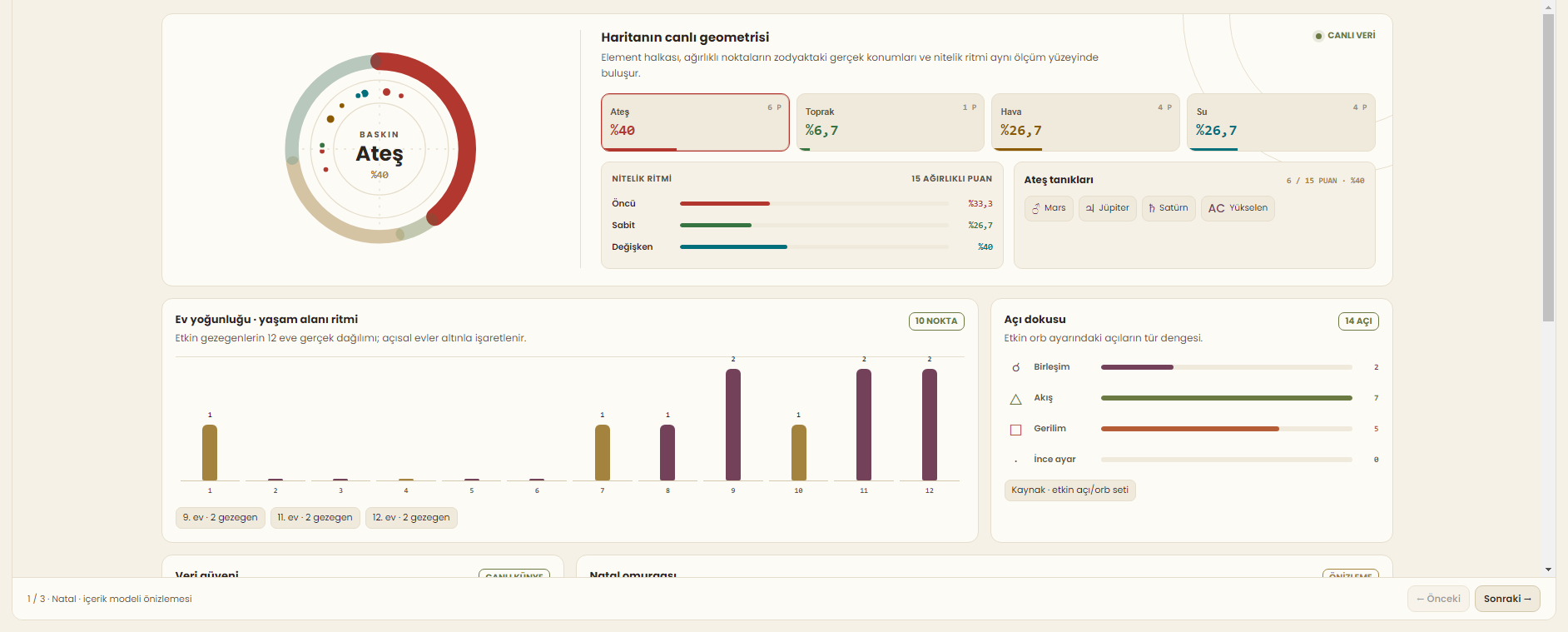
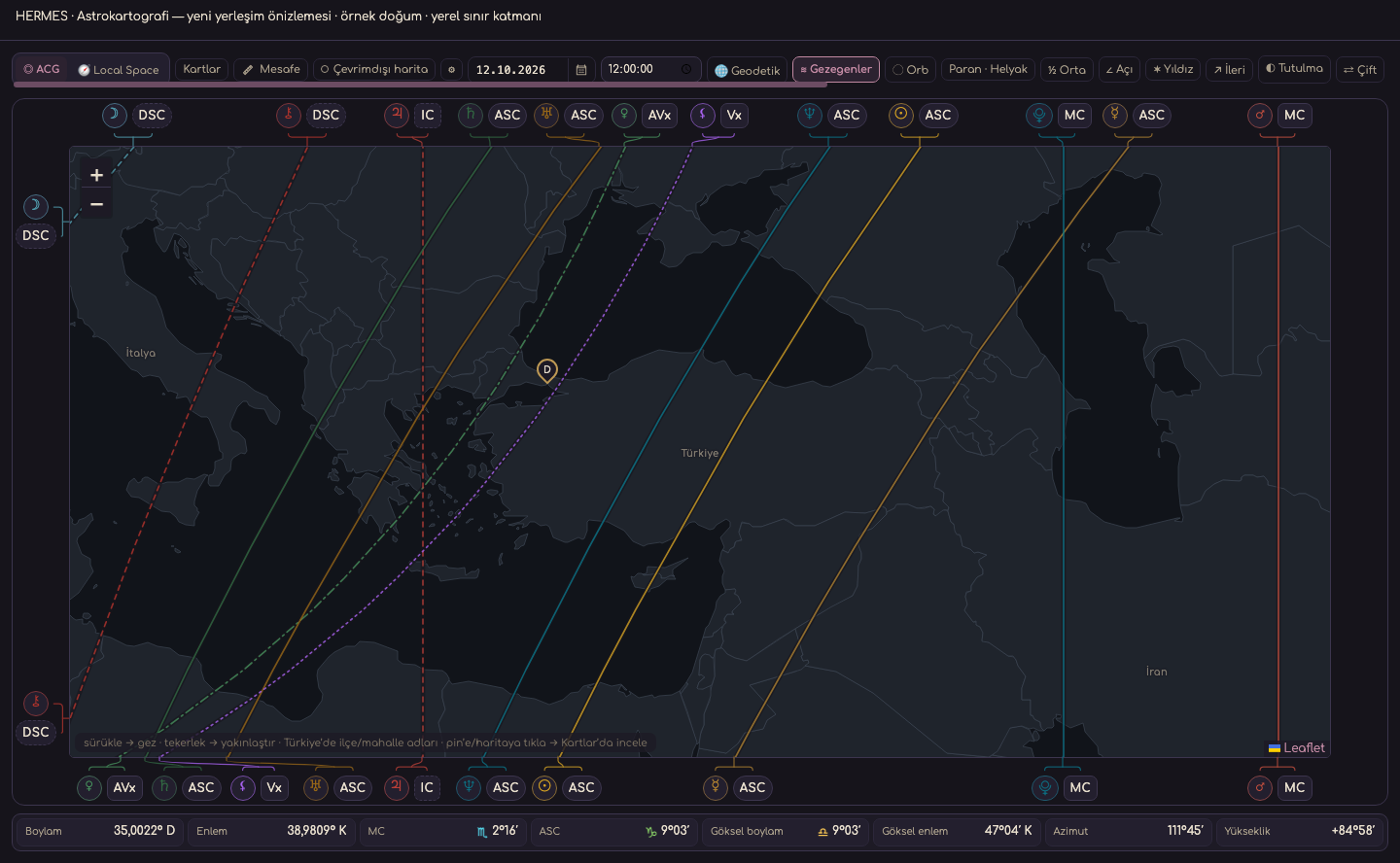
Discover Hermes’s tools from birth chart and timing techniques to archive and reporting. You can review which features are located in every working area from the following descriptions.
See how the tools come together through real desktop screens and short guided steps. These guides do not perform personal calculations in the browser.
The workflows below introduce different program screens. Capture information appears below each image; text tours do not perform calculations. Current installer and delivery status is shown on the Downloads page.
01Home · CalendarProduct screen
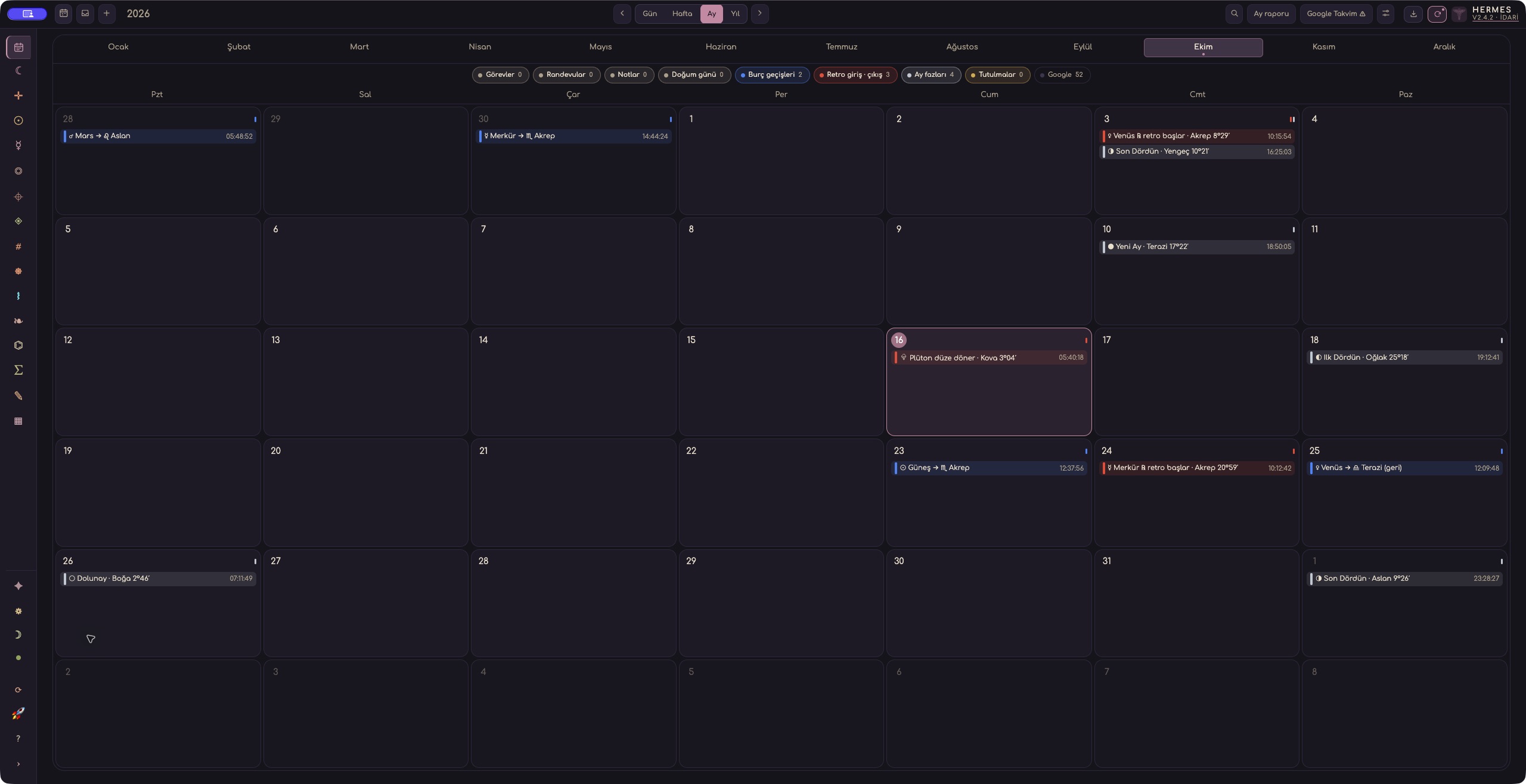
Hermes Calendar · October 2026 · actual dark screen
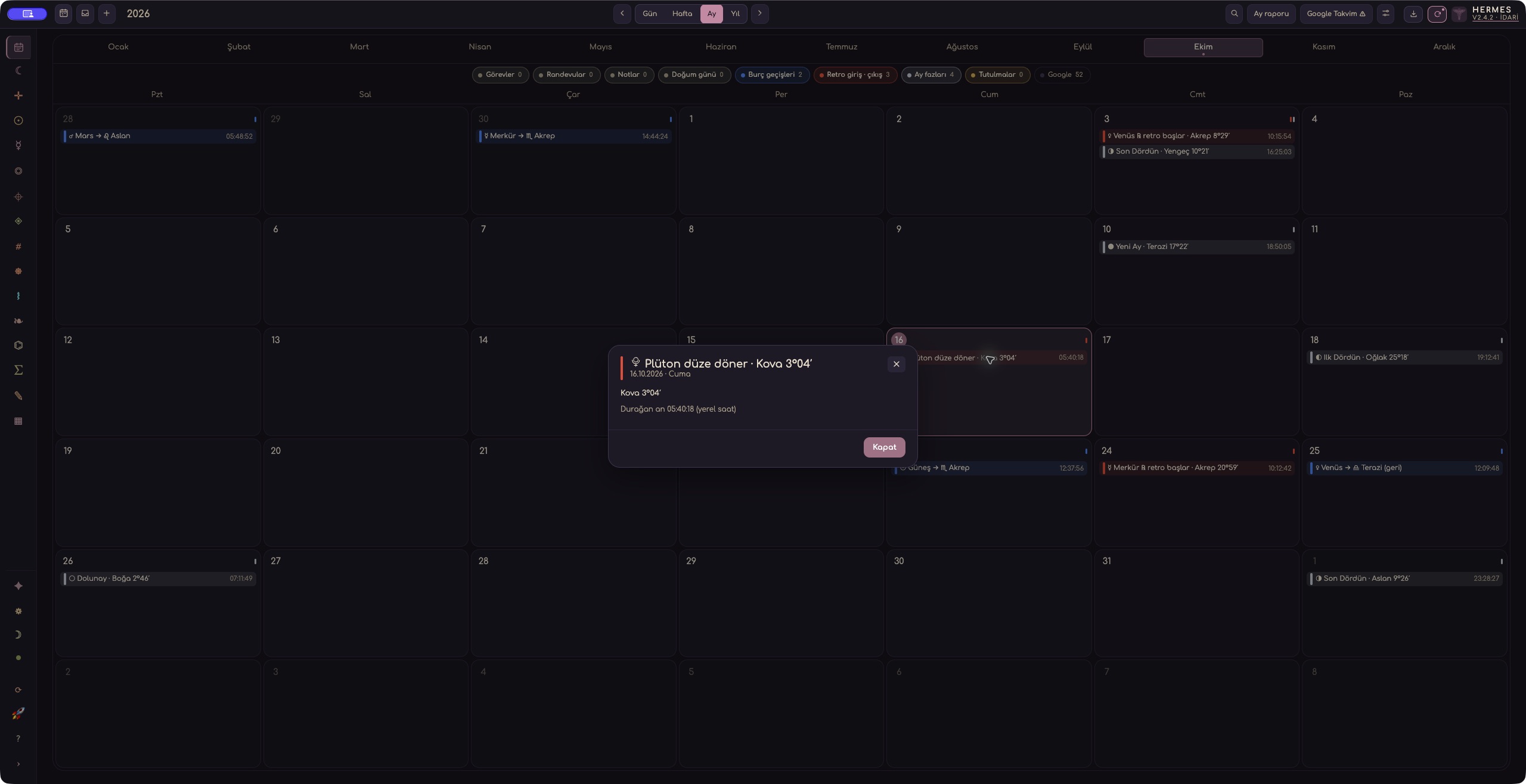
Astrological event details · actual dark screen
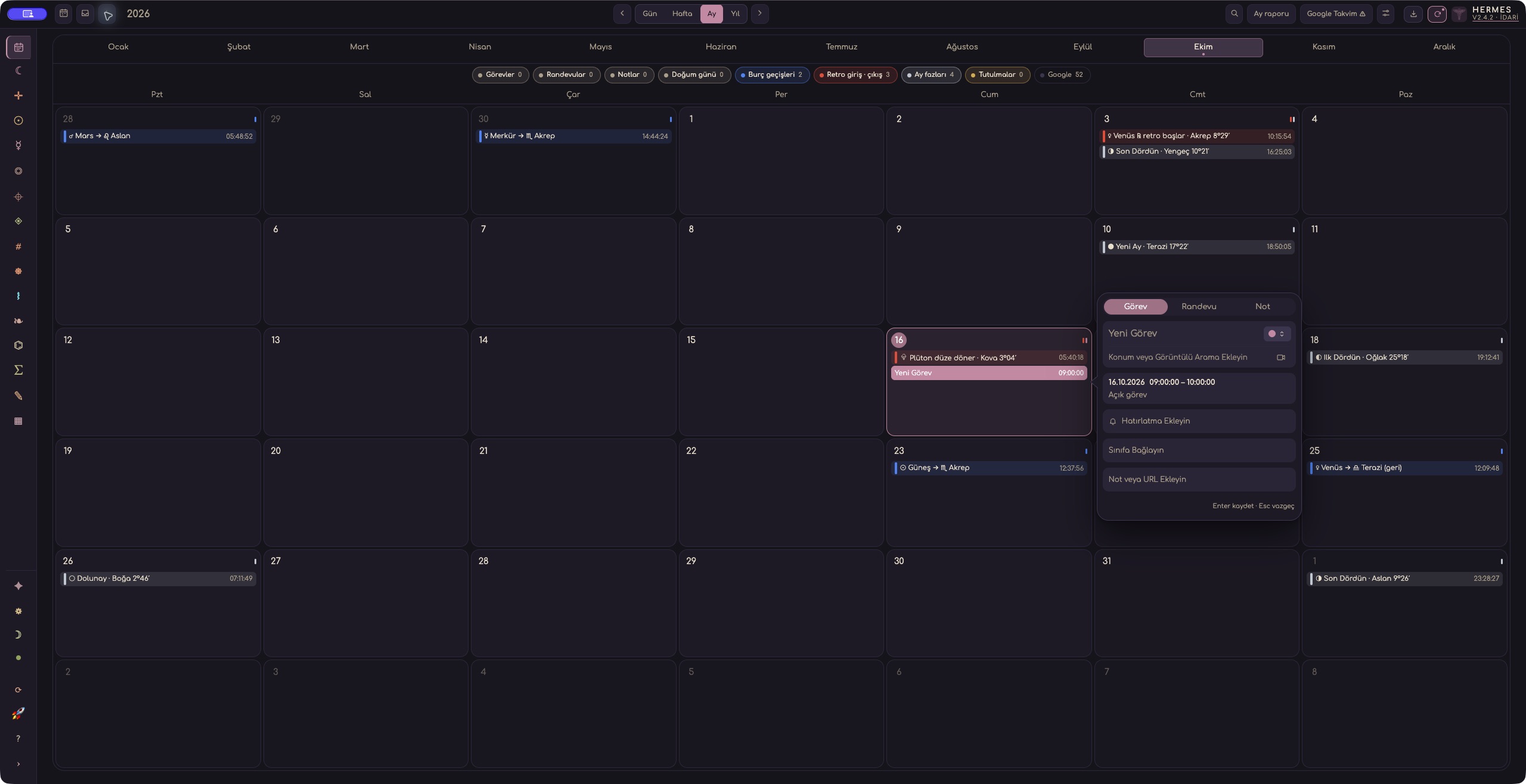
New entry form · unsaved example · actual dark screen
1 / 3
Drag to explore · Only screenshot background colours are adapted for presentation.
Calendar · synthetic sample task · Electron screen
See a day in the context of the whole sky.
Tasks, appointments, and sky indicators meet in one calendar. Move from a day card to an entry and reminder.
Earlier Hermes screen · capture date not recorded The application version for this image was not recorded.
This image is for product presentation. Check the Downloads page for current installer availability. View installer availability ↗
HERMES WORKSPACES
Know the tools of each area.
Open a header; look at the relevant tools and descriptions of what each one is doing.
tools
No matching tools found.
A tools catalog to consider alongside installer and licensing information.
01Charts & ZodiacFrom natal charts to the current sky, core calculations share the same Swiss Ephemeris engine.+
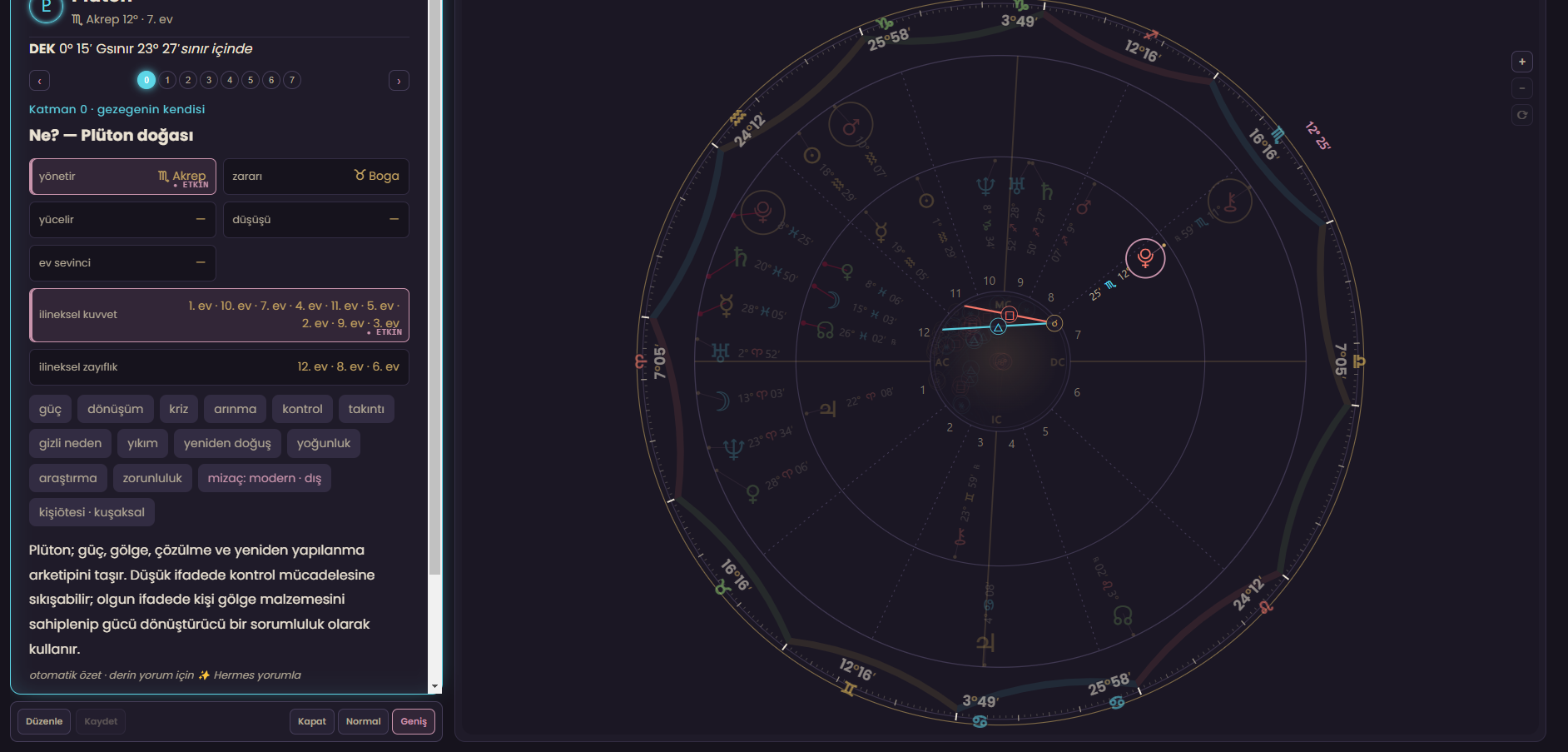
Natal chart
Build a birth chart with planets, angles, houses and aspects, using birth times accurate to the second.
Current sky & Zodiac
Explore the sky for a selected date, time and location in its own workspace.
Classic & modern 360° charts
Show the same data in two visual styles, with controls for layers and rings.
House systems & ayanamsa
Compare methods such as Placidus, Whole Sign and Koch alongside your tropical or sidereal zodiac and ayanamsa choice. House boundaries, zodiac references and timing cards serve different purposes.
Sunshine (Makransky)A separate House System entry alongside the existing Sunshine (Treindl) option.
Bhāva madhyaAlready in Vedic → Bhāva: the ASC sits at the centre of an equal house.
Huber Age PointA separate information card on the chart’s left rail for following the age cycle.
Octotopos · 8 placesA left-rail card for examining eight places; the twelve-house wheel is retained.
18 October 2026 · Release preparation: Sunshine (Makransky), the Huber Age Point and Octotopos have been added for the next release. Availability in the downloadable package has not yet been verified. Bhāva madhya is already part of the Vedic settings.
Bring dignity, house, speed, temperament, rulership and aspect evidence into one card.
Aspect grid & patterns
View aspects as a matrix or list, alongside patterns such as stelliums, T-squares, grand trines and yods.
Asteroids
Calculate built-in and user-added asteroids in charts, tables and filters.
Fixed stars
Explore precessed positions, contacts, notes and declinations together.
Arabic parts & sensitive points
Calculate sect-sensitive lots and contacts with key axes and points in chart context.
Declinations
Generate tables for parallels, contra-parallels, out-of-bounds positions and declination equivalents.
02Timing & ForecastingBring different timing techniques together around the same client and event, rather than relying on one predictive method.+
Transits
Compare the current or selected sky with the natal chart in single, dual or side-by-side views.
Transit date-range scan
Find exact contacts across a selected period and place them in an event list.
Secondary progressions
Calculate the day-for-a-year progression with different day and aspect methods.
Solar Arc
Show solar arc directions in natal and relocation contexts.
Other directions
Explore direction and profection-based options in a separate workspace.
Return charts
Cast solar and other return charts for a target year and location.
Ingress charts
Chart the exact moments when planets enter signs.
Annual profections
Calculate the active house, sign and ruler of the year from the age cycle.
Firdaria
Show sect-based period and subperiod rulers on a timeline.
Zodiacal Releasing
Calculate layered Zodiacal Releasing periods from the relevant lots.
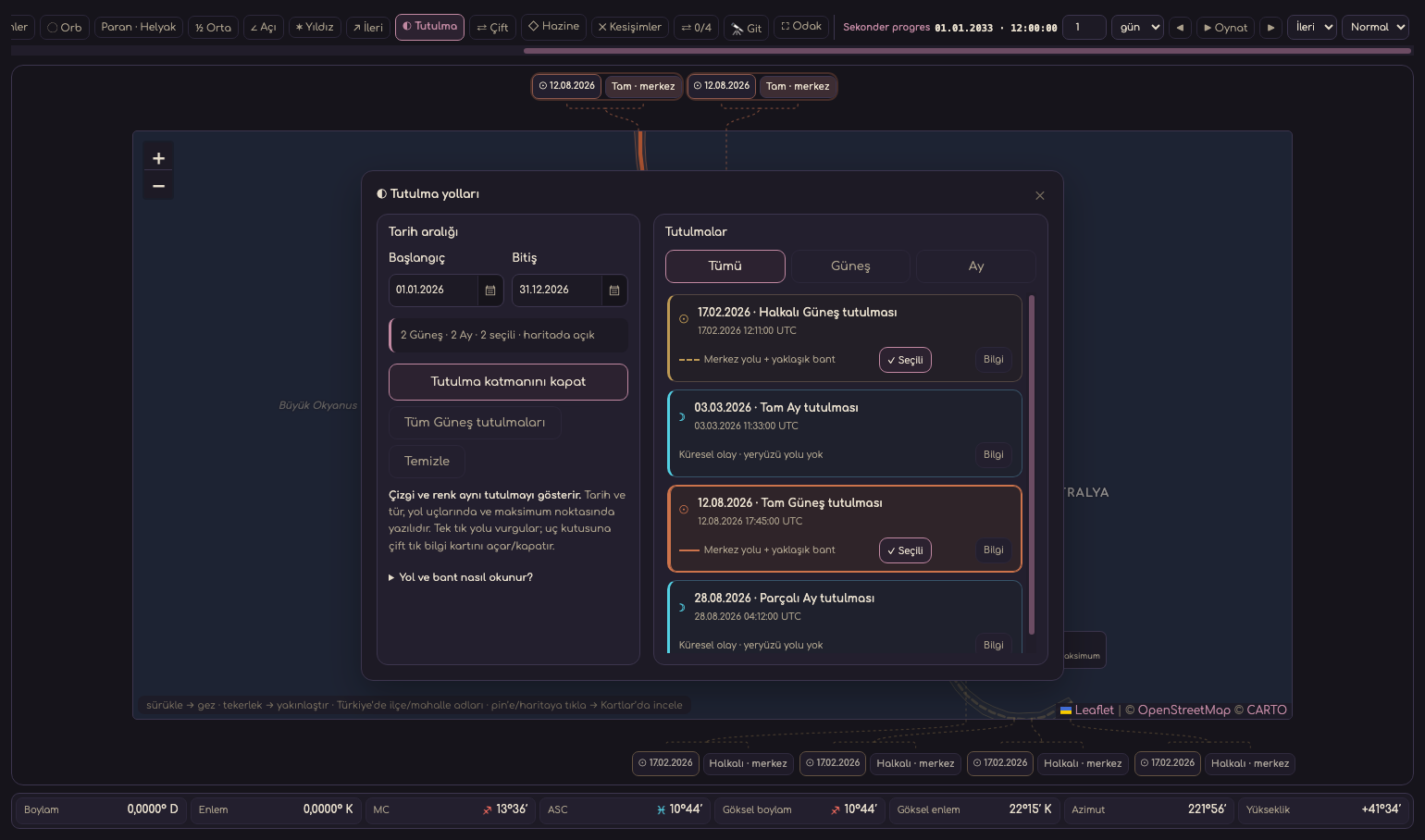
Eclipse scan
Scan solar and lunar eclipses over a date range, preserving the distinction between exact phase and maximum.
Prenatal eclipse charts
Place the prenatal eclipse’s exact UT moment in the context of birth location and local time.
Moon phases & astrology calendar
List lunar phases and important sky events in chronological order.
Stations & ephemeris tables
Tabulate planetary stations, motion states and ephemeris results over a date range.
03Relationships, Questions & Electional WorkUse distinct methods to study two people, the moment a question arises and possible starting times.+
Synastry
Calculate inter-chart aspects, house overlays and planetary contacts for two natal charts.
Two-ring comparison
View two charts together with independent zoom and information cards.
Three-ring chart
Compare natal, transit or derived charts in three layers.
Composite chart
Create a relationship chart from the midpoints of two people’s natal placements.
Davison chart
Create a relationship chart from the actual midpoint of two births in time and space.
Horary
Keep question charts, archives, calculations, notes and traditional assessment together.
Electional scan
Score criteria, scan a date range and compare candidate moments.
04Birth Time RectificationNarrow a birth time using dated life events and explainable evidence, rather than one isolated indicator.+
Life-event archive
Store each event’s date, type, description and time quality with the client record.
Event time & location precision
Evaluate events with exact times and locations separately in second-stage calculations.
Candidate birth-time range
Keep the birth-time window and scan resolution under user control.
K0 baseline scoring
Rank candidate times by canonical indicators in an explainable baseline score.
Fine-grid scan
Rescan around strong candidates using smaller time steps.
Robustness & ablation checks
Show how much each research layer changes the result in separate bands.
Calibrated candidate report
Report supporting, counterbalancing and excluded evidence for leading candidates without claiming certainty.
05Location AstrologyExplore planetary lines, directions and relocation choices around the world in one atlas.+
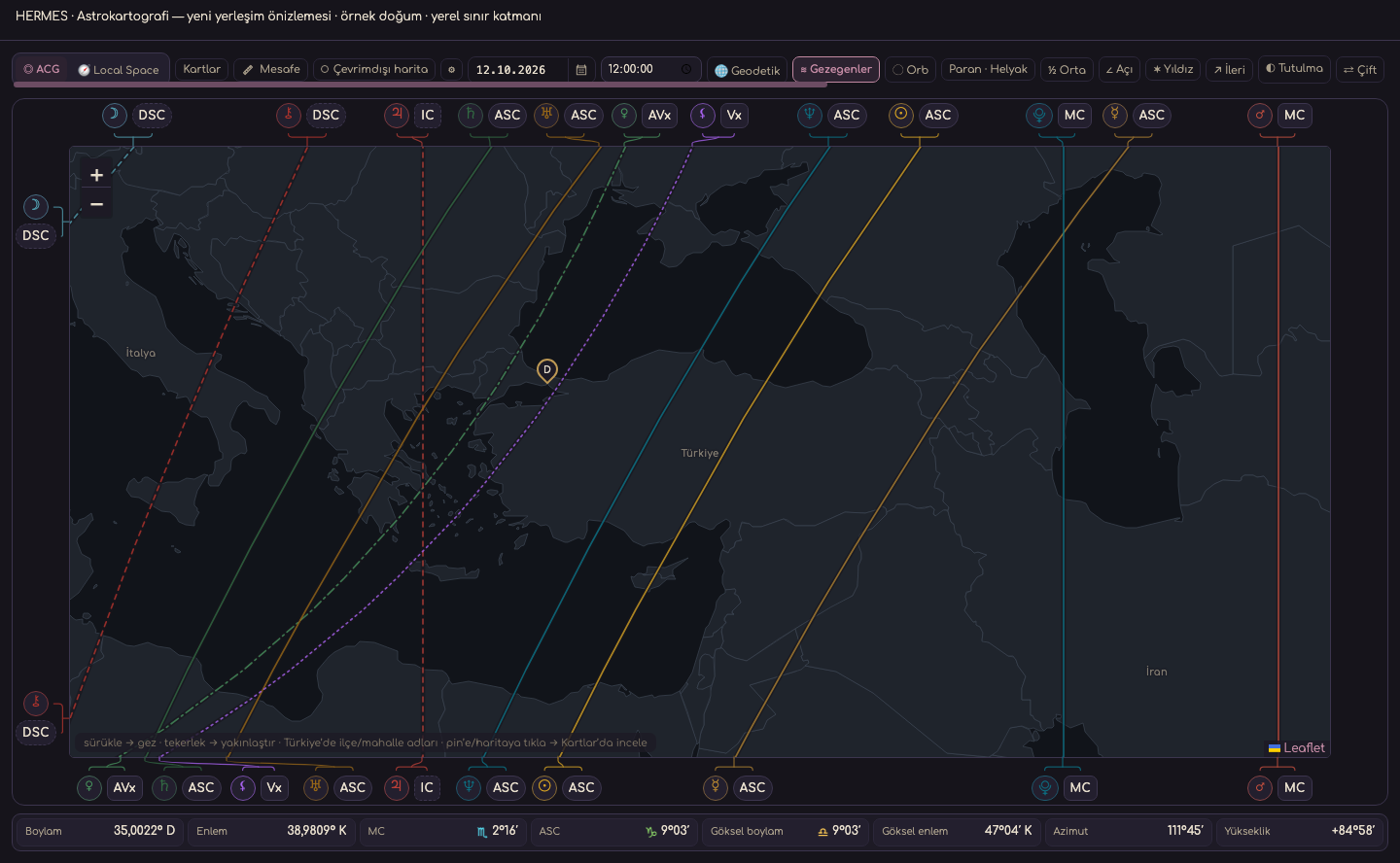
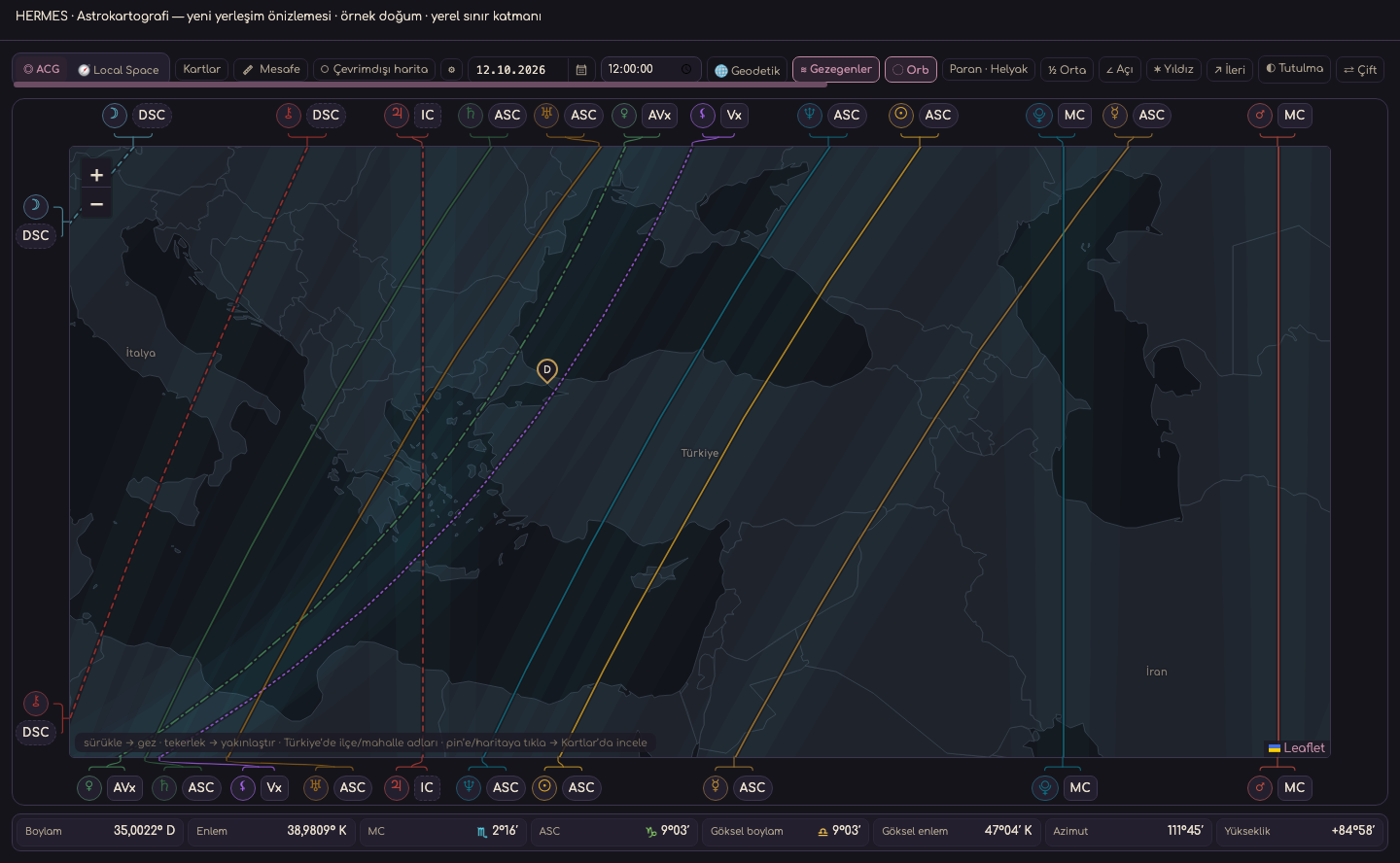
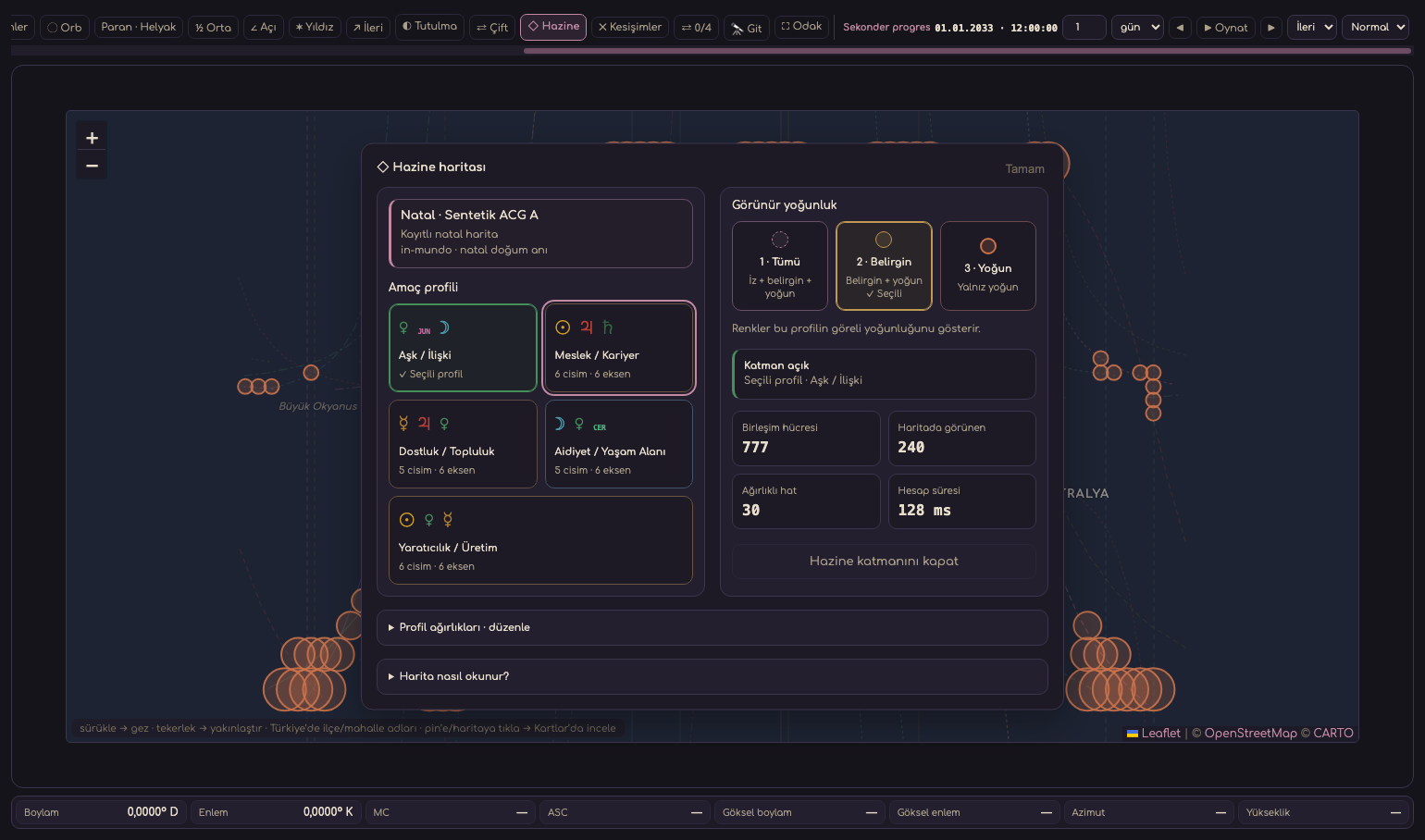
Astrocartography planetary lines
Show planetary ASC, DSC, MC and IC lines on an interactive world map.
Astrocartography midpoints
Calculate angular lines for selected midpoints across the world.
Astrocartography aspect lines
Add planetary aspect relationships as a location-based line layer.
Astrocartography fixed stars
Draw location lines using fixed stars’ precise right ascension and declination.
Eclipse paths
Add eclipse tracks to the world map for location-based study.
Local Space
Show planetary directions and horizon azimuths from the selected location on a local map.
Geodetic chart
Map zodiacal longitudes to Earth coordinates to create geodetic lines.
Relocation chart
Recalculate the houses of natal, return and directed charts for a selected city.
06Uranian & Advanced CalculationsSeparate demanding techniques, from 90°/360° dials to traditional dignity and strength measures.+
Classic 90° dial
Show Uranian placements with classic symmetry and label positioning.
Modern 90° dial
Use the same 90° geometry with zoom, layers and improved overlap handling.
360° Uranian dial
Work with Uranian points around the full zodiac alongside natal and comparison charts.
Midpoints & trees
Calculate midpoint lists, 45° axis trees and loaded midpoint trees.
Hamburg trans-Neptunians
Add eight trans-Neptunian points to dials and rings with separate visibility controls.
Uranian formulas & sensitive points
Examine combinations of planets, angles, trans-Neptunians and midpoints through formulas.
Harmonic charts
Generate a derived chart and comparison view using the selected harmonic number.
Almuten Figuris
Rank chart rulers using sect, hour ruler and traditional dignity scores.
AstroDyne strength & harmony
Display planetary and sign strengths, plus aspect harmony or tension, in measured tables.
07Clients & ReportingConnect calculations with client work, keeping profiles, events, analyses and outputs in one record.+
Client management
Keep records, categories, search, batch actions and client details in one place.
Chart & location profiles
Store birth, residence and working locations for each client and pass them to the relevant technique.
Notes & event log
Save free-form notes and dated life events without losing their chart context.
My analyses
Save natal, predictive, synastry, electional, horary, rectification and specialist analyses with their history.
Analysis Detail Center
Combine an executive summary, technical evidence and synthesis or notes in an interactive dashboard.
Reports & A4 documents
Turn charts, tables and analysis sections into organized on-screen and A4 reports.
PNG, SVG & PDF export
Export charts in three file formats with framing, size and zoom options.
Solar Fire import
Import Solar Fire records by drag and drop into the active client category.
08Other Disciplines, Research & EducationBring packaged Human Design, Numerology and Vedic workspaces together with library, archive and learning tools in one local environment.+
Human Design
Explore a BodyGraph, centers, channels and gates from birth data, with cycle and connection studies in a dedicated workspace.
Numerology
Calculate Pythagorean, Chaldean and Vedic numerology for a client, keeping methods and result cards distinct.
Vedic · Jyotiṣa
Open verified Vedic methods with clear catalog and calculation status labels; methods that are not ready are never shown as calculated results.
Personal astrology library
Organize topics, full-text search, linked notes and source material.
AA Chart Archive
Study birth charts with source and data-quality details alongside biographies and events.
User statistics & indicator filters
Search client archives for patterns involving planets, midpoints, lots, stars and asteroids.
Astrology Learning Workshop
Follow lessons, information cards, help and progress inside the app.
Teacher workspace
Connect classes, students, lessons, payments, collections and archives with client charts.
World atlas
Use offline location selection with 245 countries, more than 133,000 places and time-zone data.
Offline calculation engine
Core ephemeris and calculations come with the app, so chart generation does not require a constant internet connection.
Local data & backups
Keep client and library data on the device, with backup and restore tools.
11 themes & signed updates
Choose among eleven accessible themes and receive verified automatic software updates.
LICENSE SELECTION
One or two devices.
View current fees, invoice and payment steps on the purchase page.