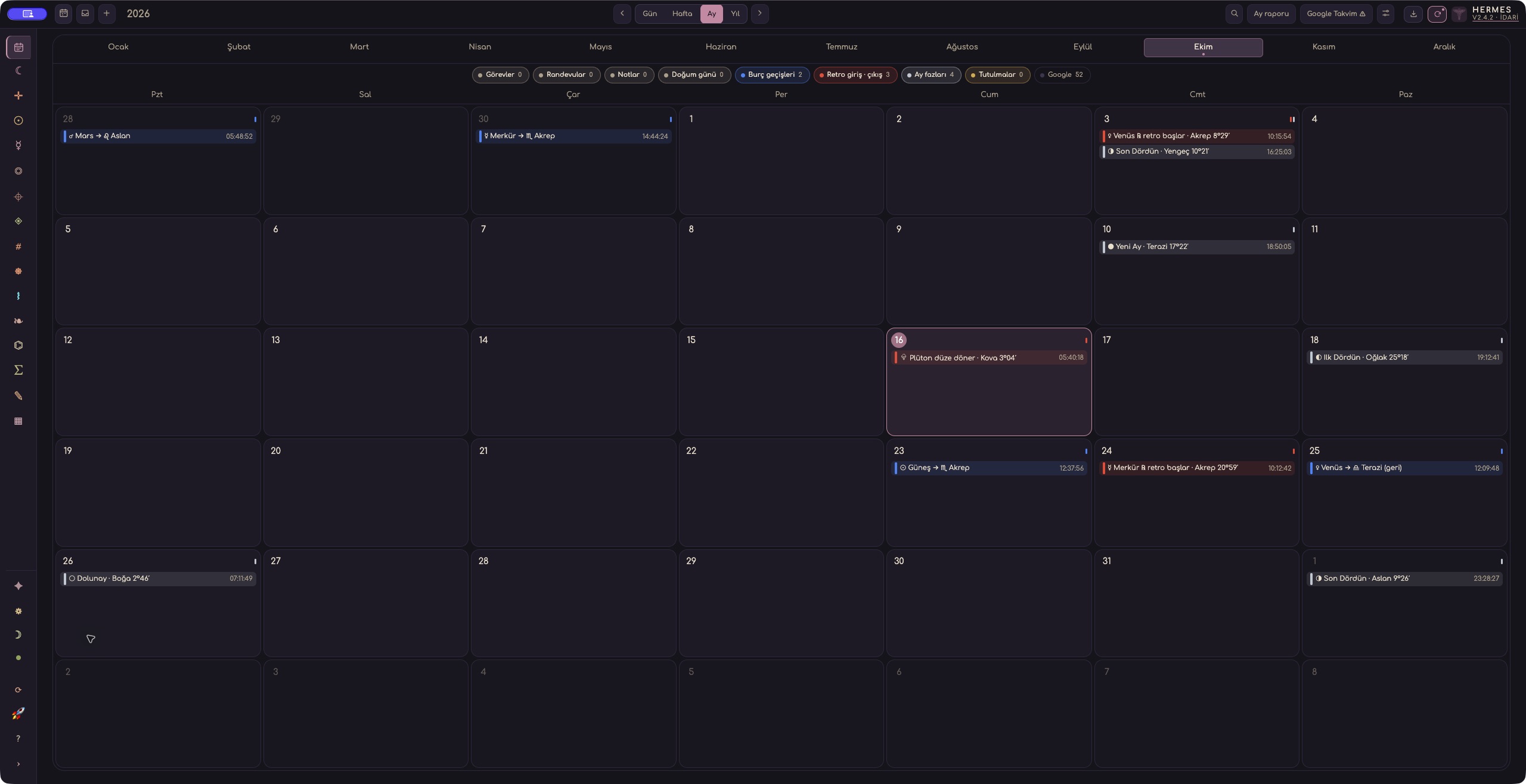
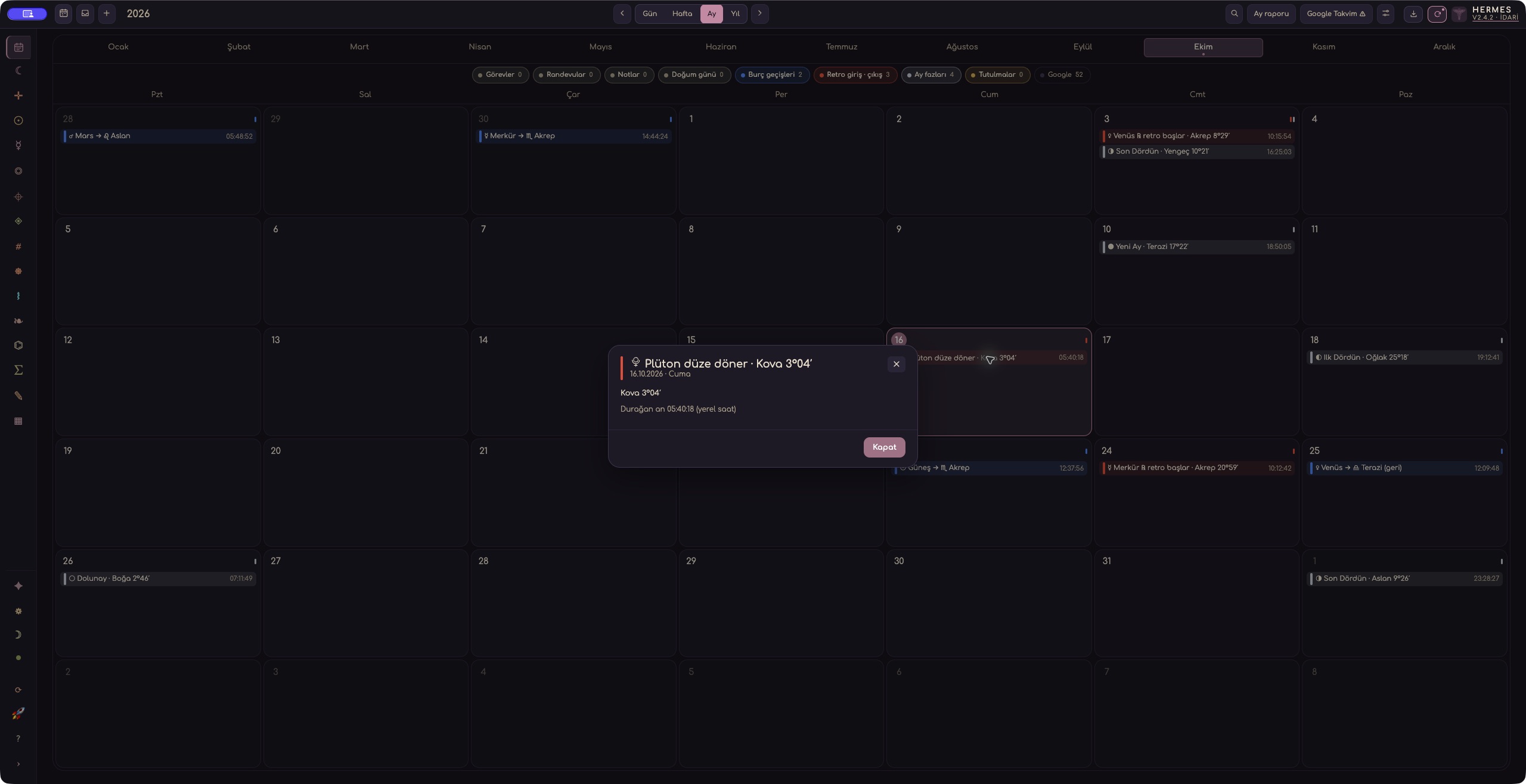
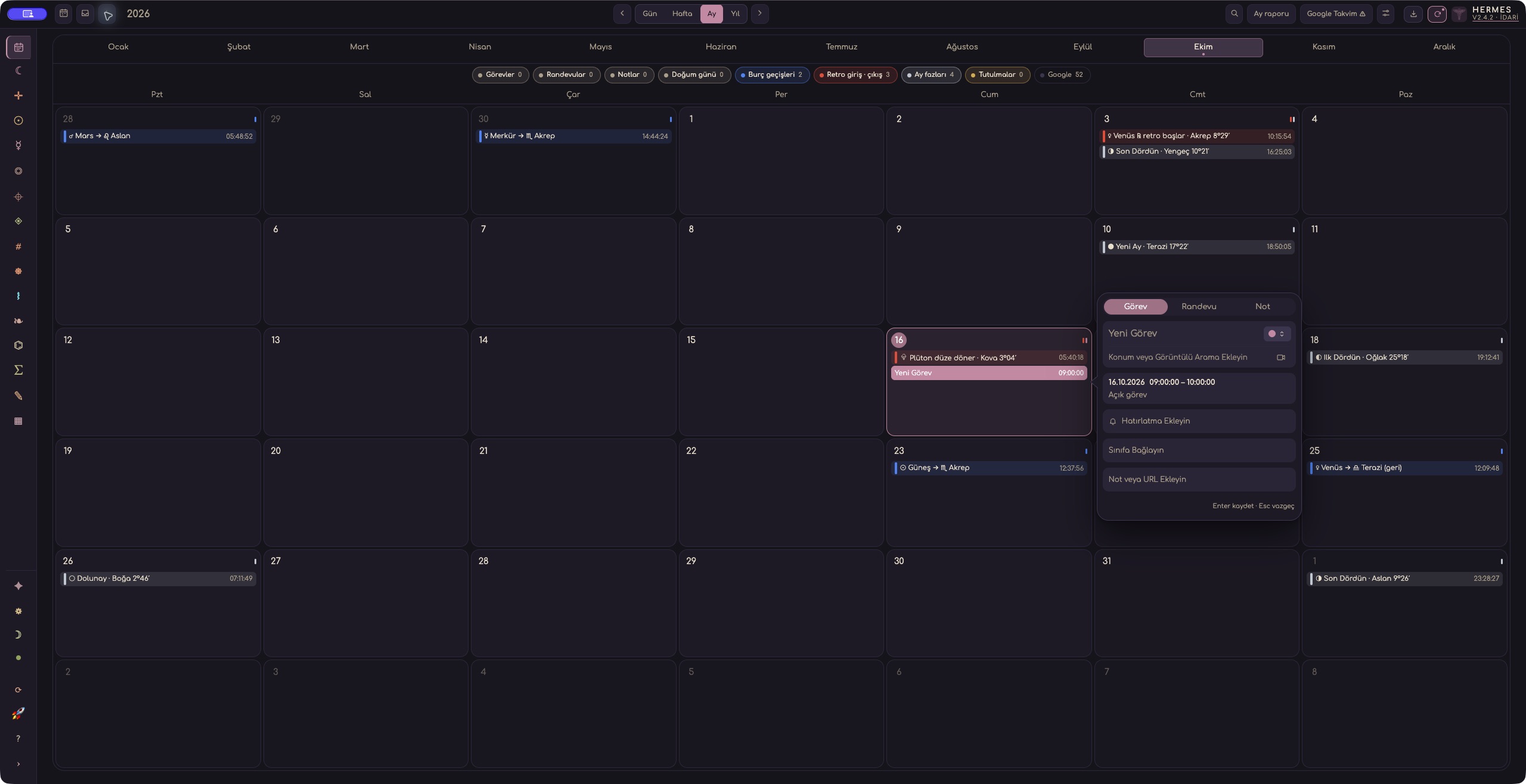
The Hermes Calendar brings sky events and your own appointments into one view. You can follow Moon phases or planetary sign changes while planning tasks and keeping notes. Switch between day, week, month and year views according to what you need to see.
You do not need every indicator on screen to get started. Choose a date, find an event that interests you and read its details. Then add a note or task for that day. This article walks through that process and the timing details worth checking along the way.
Choose a view that suits the task
Day view focuses on one date. Week view is useful for seeing consultation times alongside preparation tasks. Use month view to scan a longer period, or year view to move between dates across the year.
For a consultation, you might begin in week view to see where the appointment falls, then open the day for a closer look. For a longer study, start with the month or year.
Source filters control which records you see. Keep appointments, tasks or selected sky indicators visible as needed. You can also change each indicator group’s colour; your choices are saved for later use.
Which sky events can you display?
The calendar provides ten indicator groups. Sign changes, retrograde and direct stations, Moon phases, eclipses and void-of-course Moon periods are on by default. Enable the other groups when your research calls for them.
- Sign changesThe moments when the Sun and planets enter a different zodiac sign.
- Retrograde and direct stationsThe station moments marking changes between retrograde and direct motion.
- Moon phasesNew Moon, First Quarter, Full Moon and Last Quarter times.
- EclipsesPhase and timing information for solar and lunar eclipses.
- Void-of-course MoonThe start, end and local days spanned by an interval.
- The Moon’s sign changesThe moments when the Moon enters its next sign.
- Planetary aspectsExact major aspects between planets.
- Lunar aspectsThe Moon’s exact major aspects to planets.
- Moon–fixed-star conjunctionsConjunctions between the Moon and stars you select from the catalogue.
- Planet–fixed-star conjunctionsConjunctions of the Sun and planets with your selected stars.
If you want to follow Moon phases, begin with that group. For fixed-star research, enable the relevant group and choose the stars from the catalogue. This keeps the calendar focused on the records you are using.
Check what an event time represents
An exact event time differs from the start and end of an interval. If a void-of-course Moon period spans several local days, the calendar shows its beginning, continuation and ending on the relevant days.
For an eclipse, the exact phase time can differ from the time of global maximum. An eclipse appearing on the calendar also does not mean it will be visible from your location.
Calendar times for fixed-star conjunctions are estimated by interpolation and displayed as approximate. Keep that distinction in mind when recording or comparing those times.
Turn an indicator into a calendar note
When you find an indicator on a chart or timeline that you want to revisit, use Send to Calendar on a supported screen. Select the indicator and the information to transfer, then add your own description. Hermes opens an editable draft in the Main Calendar.
Before saving, check the date, time and source. An aspect between transiting planets differs from a transit to a natal point. Knowing which chart an event came from helps you read the note correctly later.
Opening the draft does not save it. Review your description and complete the save yourself. Add your research question to the note so you can see why you saved the event.
Plan a consultation and its preparation
The Main Calendar supports tasks, appointments and notes. Entries can be timed or all-day, with date ranges, reminders and task-completion options as needed. Client birthdays you have added to the calendar appear under their own source.
Try this short exercise with your own schedule:
- Create an appointment for a consultation in week view.
- Add a task for the questions you need to prepare beforehand.
- If you are studying a sky event, enable its layer and check the timing details.
- Write your question or observation in a note, then review the date and source before saving.
This is a suggested exercise; the sample entries shown in the images are not your personal calendar. When you return to the date, you can review the appointment, preparation task and research note together.
Keep the teaching calendar separate
The Teacher workspace uses the same calendar component for education records: lessons, class-related tasks and appointments, payment due dates and student birthdays.
These records are separate from your personal agenda on the Home screen, so you can manage teaching and personal work in their respective calendars.
Do you need to connect Google Calendar?
No. The local Hermes calendar works without a Google account. If you also want to work with Google events, you can connect your account and choose which calendar permissions to grant. Google events appear as a separate source. The connection requires the relevant permissions and internet access.
Start with one date: find a sky event, read its details and create your own entry. For a closer look at the screens, open the calendar tour on the Features page.
Frequently asked questions
What sky events does the Hermes Calendar show?
It shows ten indicator groups: sign changes, retrograde and direct stations, Moon phases, eclipses, void-of-course Moon, the Moon’s sign changes, planetary and lunar aspects, and fixed-star conjunctions. The first five are on by default.
Do I need Google Calendar to use the Hermes Calendar?
No. The local Hermes calendar works without a Google account. You can optionally connect your account and choose which calendar permissions to grant; Google events then appear as a separate source.
Will an eclipse on the calendar be visible from my location?
Not necessarily. An eclipse appearing on the calendar does not mean it will be visible from where you are, and its exact phase time can differ from the time of global maximum.